Free Mileage Log Template
Driving to jobs, supply houses and estimates adds up. A simple mileage log helps you keep a clear record of every business trip.
Keep it in the glove box and fill in a line each time you drive for work.
Download the free PDF
Sign up below to unlock your free download.
Download the Mileage Log (PDF)Opens in a new tab. Print it, or save it to fill in on your computer.
Want new printables first? Tell me more
Get The Toolbelt Monthly, a free monthly email with new printables and practical tips. Some issues may include a sponsor message. Unsubscribe anytime.
We never sell or share your email address with anyone, sponsors included.
Who it's for
Any contractor or tradesperson who drives for work: handymen, plumbers, electricians, HVAC techs, painters and roofers.
How to use it
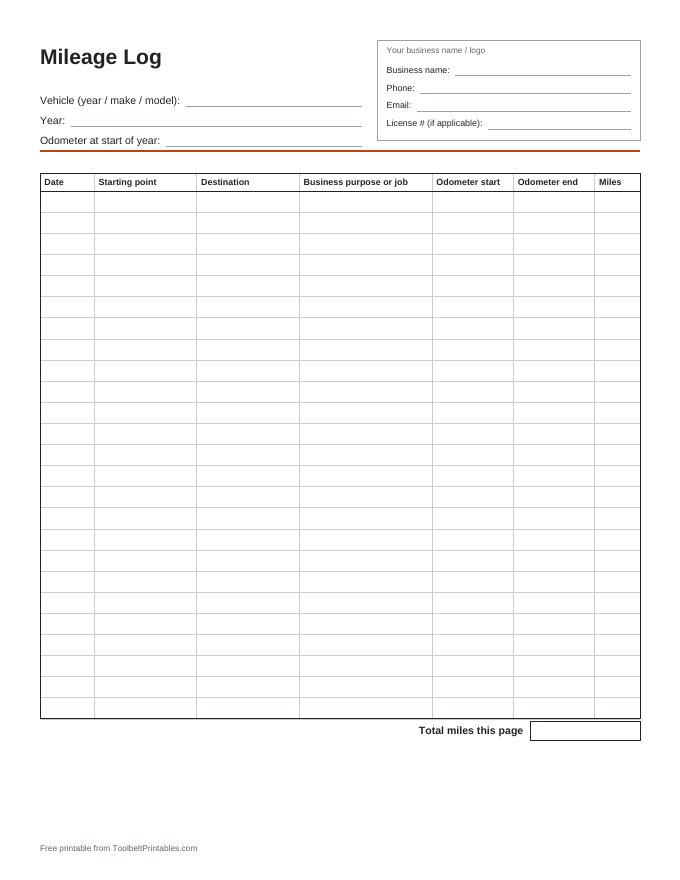
- Write your vehicle's year, make and model, the year, and the odometer reading at the start of the year.
- For each trip, write the date, starting point and destination.
- Write the business purpose or job name.
- Record the odometer at the start and end of the trip.
- Subtract to get the miles for that trip.
- Add up the total miles at the bottom of each page and keep the pages with your records.
What's included (1 page)
- Your business name / logo box
- Vehicle (year / make / model), year and odometer at start of year
- Trip table with 25 rows: Date, Starting point, Destination, Business purpose or job, Odometer start, Odometer end, Miles
- Total miles this page box
Good to know
Tax records for business mileage have specific requirements. Check current IRS guidance or ask your tax preparer.
Related printables
-
Business Expense Tracker
Log spending by date, job and category.
Get it free → -
Paid Receipt
Simple fill-in receipts, 3 per page, to hand customers when they pay.
Get it free → -
Weekly Time Sheet
Hours per worker per day, by job.
Get it free →
This printable is a general record-keeping tool, not legal or tax advice. Rules vary by state and city, so check your local requirements.