Free Work Order Form Template
A work order keeps one job clear from start to finish. It says what needs doing, where, who's doing it and when, and gets signed when the work is done.
It's handy for service calls, small repairs and handing tasks to a crew member.
Download the free PDF
Sign up below to unlock your free download.
Download the Work Order Form (PDF)Opens in a new tab. Print it, or save it to fill in on your computer.
Want new printables first? Tell me more
Get The Toolbelt Monthly, a free monthly email with new printables and practical tips. Some issues may include a sponsor message. Unsubscribe anytime.
We never sell or share your email address with anyone, sponsors included.
Who it's for
Service techs and small crews handling repairs and service calls: HVAC techs, electricians, plumbers, handymen and property maintenance contractors.
How to use it
- Add your business details in the box at the top.
- Fill in the work order number, date and priority.
- Write the customer, job address, on-site contact and phone, who it's assigned to and when it's scheduled.
- Describe the work to be done.
- On the job, list materials used and each tech's time in, time out and hours.
- Check work completed, note any follow-up, and get the customer's and tech's signatures.
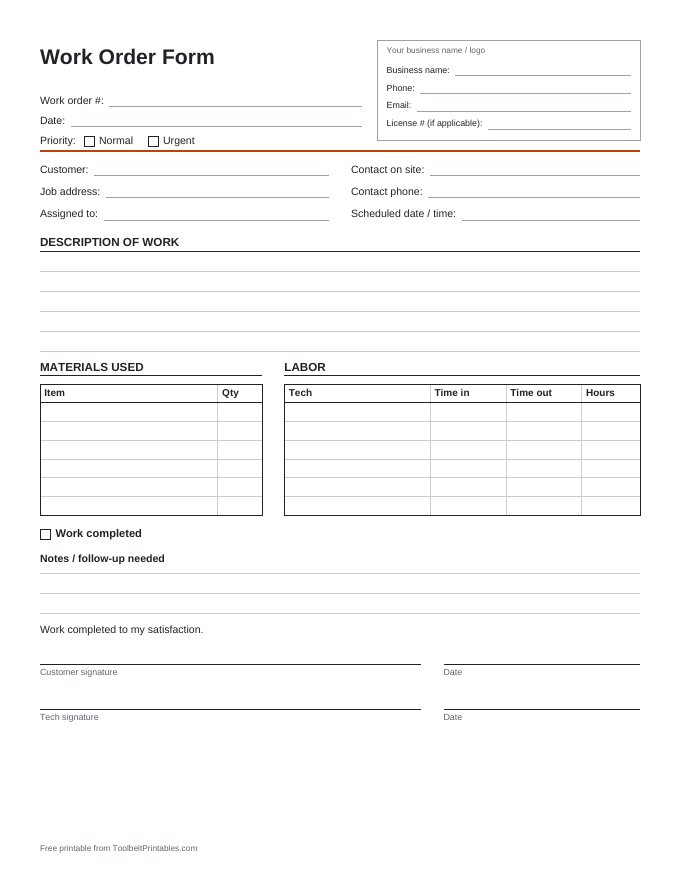
What's included (1 page)
- Your business name / logo box (business name, phone, email, license #)
- Work order #, date and priority checkboxes (Normal, Urgent)
- Customer, job address, contact on site, contact phone, assigned to and scheduled date / time
- Description of work lines
- Materials used table (Item, Qty)
- Labor table (Tech, Time in, Time out, Hours)
- Work completed checkbox and notes / follow-up needed lines
- Customer signature ("Work completed to my satisfaction"), tech signature and dates
Related printables
-
Daily Job Log
Crew, weather, work done, deliveries, delays and notes for each day on site.
Get it free → -
Material and Supply List
What to buy, how much, where from and what it cost.
Get it free → -
Contractor Invoice
A fill-in invoice for labor, materials, payments received and balance due.
Get it free →
This printable is a general record-keeping tool, not legal or tax advice. Rules vary by state and city, so check your local requirements.